Creators BOT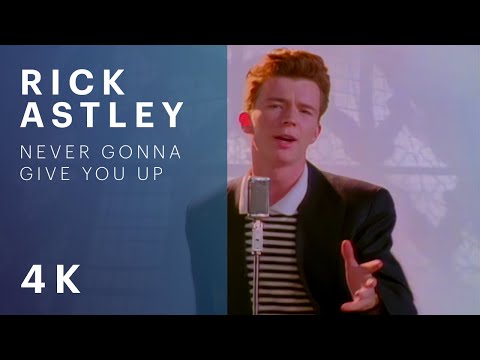 Rick Astley — Never Gonna Give You Up
The video is out! Let’s watch it together.
Rick Astley — Never Gonna Give You UpAdvanced notifications
A stream on Twitch or Kick, a YouTube video, or TikTok or Instagram content: choose what to announce and where. Each platform, event and destination has its own settings, from text and buttons to the appearance of Discord embeds.
One Studio. Different messages for every community.
FROM CONTENT TO COMMUNITY
You can write a short invitation for the group. On Discord, you can use an embed with a title, image and mention of the relevant role. Each destination keeps its own message: you choose how to speak to each audience.
Select the linked account and event type: a video doesn’t need the same message as a stream.
Enable your destinations and choose a Telegram topic or Discord channel.
Customize the content, button and presentation. Check the result in the Studio preview.
SOCIAL PLATFORMS AND EVENTS
Configure events for your connected accounts separately. Select an example to try it in the editor below.

TikTok and Instagram require their respective features to be enabled in your plan and the accounts to be linked.
INTERACTIVE PREVIEW
Change the social platform, event and destination. Edit the message and see the result: each combination retains its changes while you stay on this page.
Source platform
Event
Destination
{source_name}{video_title}{creator_name}
Private messages are sent to the creator with the linked account.
Message preview
@Subscribers
Illustrative preview: no messages are sent. Custom Telegram text and some advanced fields require the custom Telegram bot. Available options depend on your plan.
THE DESTINATIONS
Enable only the destinations you need. The group text can differ from the channel message, Discord embed and private notification.
Send to the group and choose a specific topic. Pin the notification to find it easily.
Post to the connected channel, with a dedicated message and button for people following your updates.
Receive an alert on your connected Telegram account: a private destination for the creator.
Choose the server channel, customize the embed and mention relevant roles, @here or @everyone.
Receive the notification privately on your linked Discord account, with its own configuration.
CUSTOMIZATION
The Studio editor keeps settings separate by social platform, event and destination. Reuse a configuration with Copy and Paste, or restore the default values.
Title and message tailored to the destination. On Telegram, use bold, italics, underline, strikethrough and links.
The creator’s name, source platform, title, URL, thumbnail, community, date and time are inserted into messages using editor variables.
Show or hide the button and choose its label and URL. For YouTube, guide your audience with a ViewInApp link.
Choose a Telegram topic or Discord channel. On Discord, add roles and mentions to the message text.
Customize author and icon, title and description, color, thumbnail, large image, footer and timestamp. You can also disable the embed.
Pin notifications at destinations that support it and check the result in the live preview before saving.
For example, {source_name} and {video_title} change with every publication. Keep your tone without rewriting every announcement.
{creator_name}{source_name}{video_title}{video_url}{thumbnail_url}{community_name}{date}{time}Custom Telegram text and some advanced fields require the custom Telegram bot. Available options depend on your plan.
FROM YOUR STUDIO
Open Notifications in Studio and select the account and event you want to configure.
Connect groups, channels or servers, choose where to send notifications and customize each message. For Telegram topics, register them with /settopic nome in the intended topic.
Check the destination preview, save the notification and repeat for other events. Each configuration remains independent.
FAQ
Yes. Each destination has its own settings: you can use short text in the Telegram group and a richer embed in the Discord channel.
No. The Studio catalog also includes Kick streams, TikTok videos and streams, and Instagram posts, Reels and stories. TikTok and Instagram require their respective features to be enabled.
The editor’s Telegram DM and Discord DM destinations are reserved for the creator with the corresponding account linked. They are separate from the renewal reminders sent to members by the Telegram bot.
No. Custom Telegram text and some advanced fields require the custom Telegram bot; TikTok and Instagram have their own feature requirements. Check which features are available in your plan.
Yes. You can configure the button’s link. The example on this page includes both the YouTube video and the specified ViewInApp link, which attempts to open the video in the app where supported.
No. The preview is local and illustrative. Actual configurations are set up and saved on the Notifications page in your Studio.
Advanced notifications
Link your social accounts and prepare recognizable messages for your community spaces.